Watch It
The learner watches the complete NovaDesk workflow.
Articulate Storyline 360 case study
Technical Software Training • Guided Practice • Performance Assessment
NovaDesk is a Storyline 360 software-training course built for a fictional customer-support team at ResolveIQ Technologies. It teaches a support specialist how to review, document, route, and submit an account-security case.
Open Course (opens in a new tab)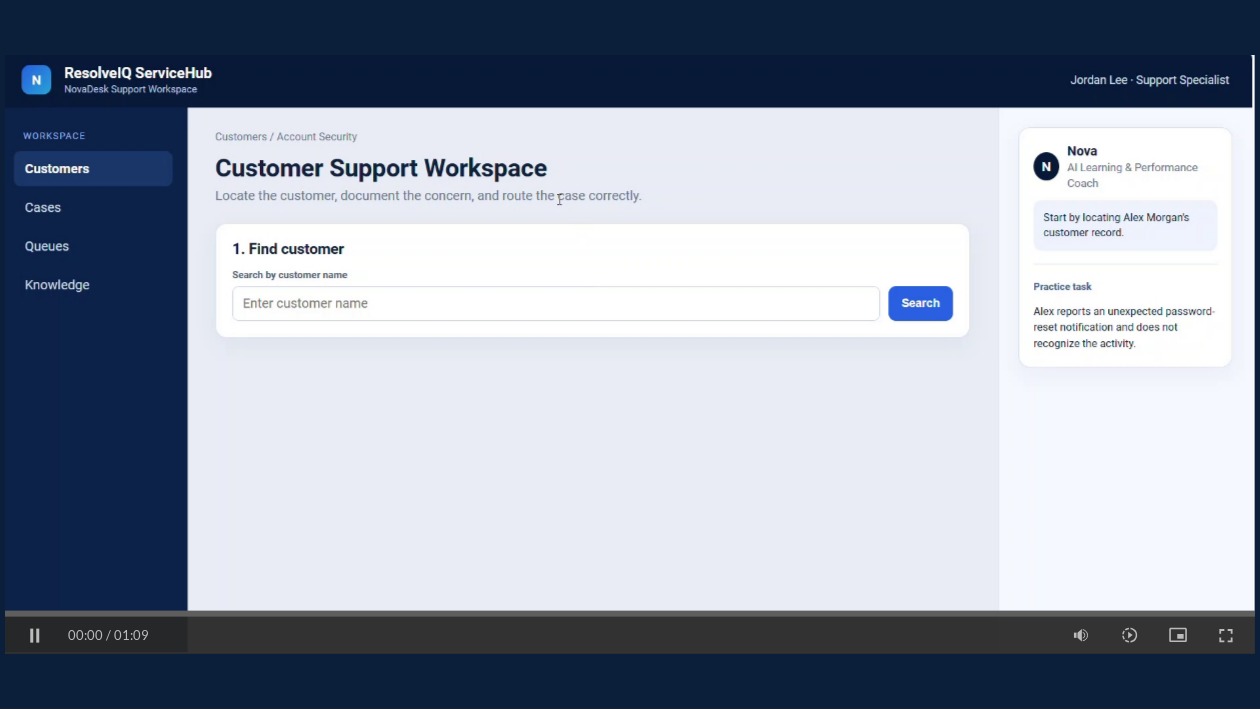
Context
Support employees may understand company procedures but still need practice using them while completing an actual task.
The learner handles a report about an unexpected password-reset notification. They complete the software steps while deciding the case category, priority, documentation, and routing.
Task
Course structure
The course is organized into four parts.
The learner watches the complete NovaDesk workflow.
The learner completes the workflow with step-by-step guidance and feedback.
The learner completes the workflow again without hints. This is the completion-based performance assessment.
The learner receives completion feedback and can retry or open Nova for more support.
Development
This project uses these Storyline 360 skills and interaction types.
Performance Support / Job Aid Design
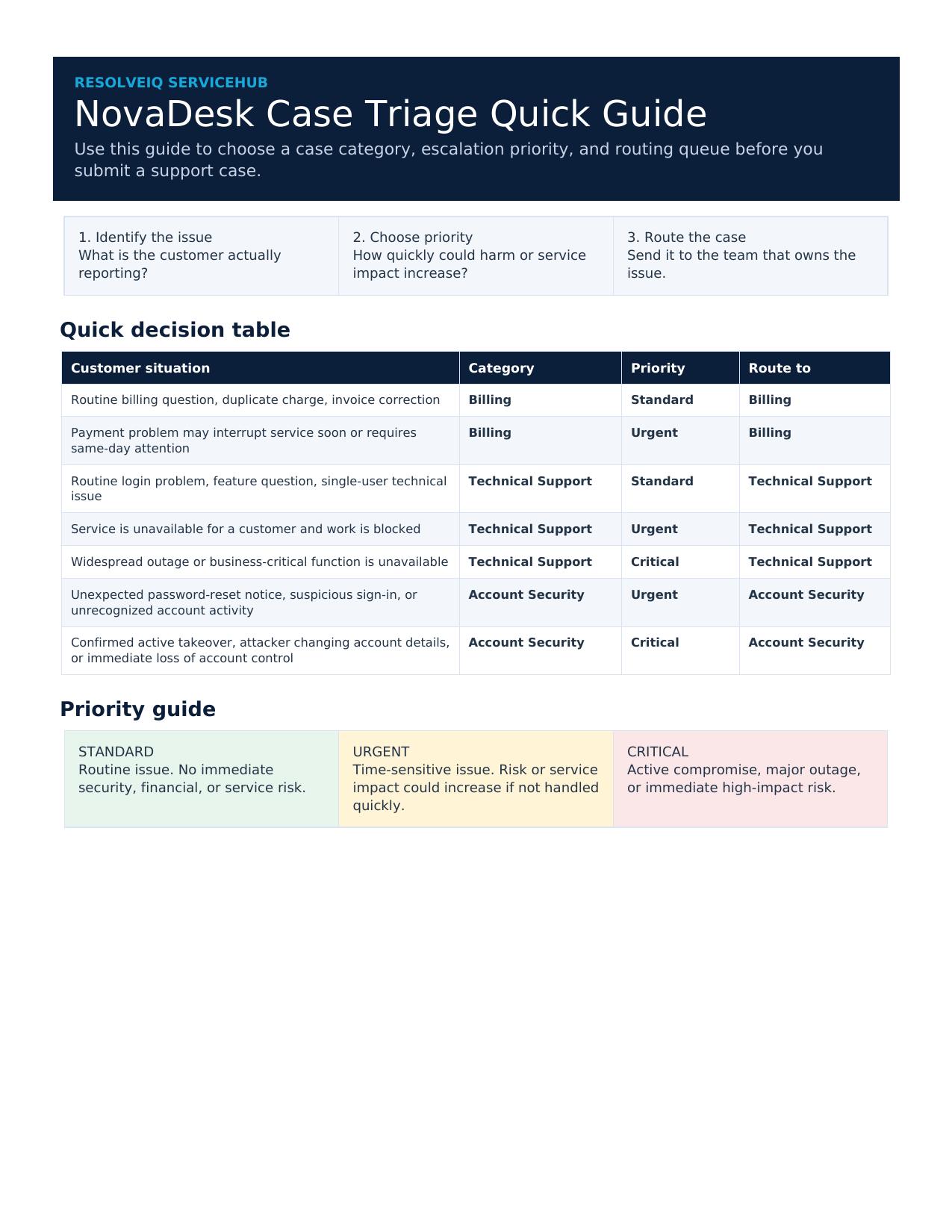
I created the NovaDesk Case Triage Quick Guide to give learners a reference they can use while completing the workflow.
The course scenario focuses on an Account Security case with an Urgent priority, but employees would handle many different types of cases on the job. The job aid expands the training beyond that one example.
It provides quick guidance for:
The guide is available from the Storyline Resources area and directly from the Performance Assessment introduction.
This gives learners a reference they can use at the point of need instead of expecting them to memorize every possible situation.
Optional help
Nova appears inside the NovaDesk work environment so learners can see it as a tool available while doing the job.
After the performance assessment, an Ask Nova button opens the live chatbot for more help or practice.
This shows how an AI support tool can work alongside training instead of replacing it.
Review
Accessibility was reviewed before publishing.
What I learned
This project started as a software simulation and grew into a small learning experience with demonstration, guided practice, independent practice, a job aid, and optional AI support.
One of the main lessons was that adding more course content was not always the answer. Sometimes the learner needed a useful reference or support tool while doing the work.